

Summary
If you have come across the term “AI adaptive glasses” and are not entirely sure what it means, you are not alone. It is a phrase that gets used a lot, sometimes loosely, to describe a growing category of wearable devices built to help people with low vision. This article breaks the term down in plain language: what it actually means, how it is different from the reading glasses sitting in your drawer, what these devices typically do, and who tends to use them. No jargon, no assumptions about what you already know, just a straightforward explanation.
The Simple Definition
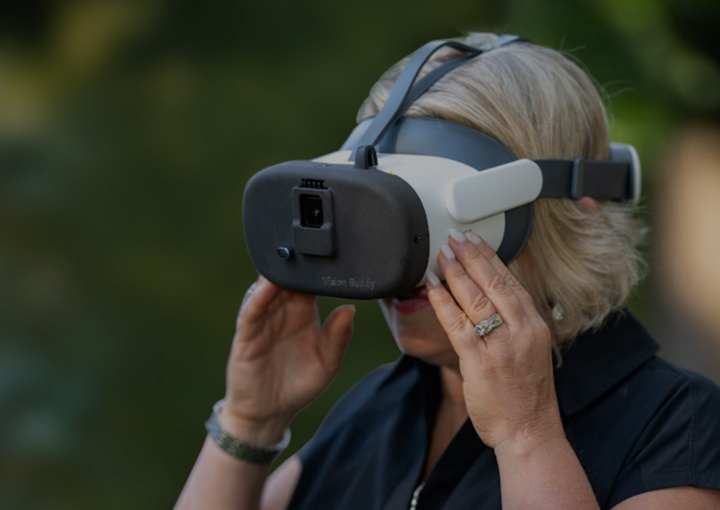
Let us start with the plainest possible explanation. AI adaptive glasses are wearable devices that use a small built in camera along with onboard software, which is really where the “AI” part comes in, to capture whatever is in front of the wearer and then adapt it in some useful way. That might mean magnifying it, boosting its contrast, or converting it into readable text.
The word “adaptive” in the name refers specifically to this ability to adjust what the camera captures so that it fits what a particular person can still see, rather than presenting the exact same fixed view to every single wearer regardless of their specific vision loss. In other words, the device is not just showing a bigger picture. It is actively adjusting that picture based on what will actually help.
How They’re Different from the Glasses You Already Wear
Standard prescription glasses, the kind most of us are familiar with, correct the shape of light as it enters the eye. That is a purely optical fix, and it works wonderfully for a lot of common vision problems like nearsightedness or farsightedness.
AI adaptive glasses do something fundamentally different. Instead of correcting light before it reaches the eye, a small camera captures a live view of the world, software processes that view in real time, and a display then shows the wearer an enhanced version of what is actually happening in front of them. This matters a great deal, because it means these devices can genuinely help people whose vision loss is not the kind that a standard prescription can fix at all.
This describes a huge number of people living with conditions like macular degeneration, glaucoma, or diabetic retinopathy, conditions where the issue is not the shape of the eye, but rather damage to the retina or optic nerve itself. No amount of prescription correction addresses that kind of vision loss. This is exactly the gap that AI adaptive glasses were built to fill.
What’s Actually Happening Inside the Device
It can help to walk through the actual process step by step, since it is not as complicated as it might sound at first.
First, a small camera built into the device captures a live view of whatever the wearer is looking at, whether that is a piece of mail, a television screen, or a person walking into the room. Second, software inside the device processes that captured image almost instantly. Depending on what the wearer needs, this might mean zooming in, adjusting contrast so edges and text stand out more clearly, or converting printed text into a format that is easier to read. Third, the processed, enhanced image is displayed back to the wearer through the device, all happening quickly enough that it feels close to real time rather than a noticeable delay.
None of this requires the wearer to do anything complicated. From their perspective, they simply put the device on and start seeing an enhanced version of the world in front of them.
What They Typically Do
Depending on the specific device and manufacturer, AI adaptive glasses can offer a range of capabilities. Not every device does all of these, since some are built narrowly around one function, but here is what tends to show up across the category:
- Real time magnification. Zooming in on whatever the wearer is looking at, adjustable based on the specific need in the moment.
- Contrast enhancement. Making text and edges stand out more clearly against their background, which can matter just as much as raw magnification for a lot of conditions.
- Reading assistance, often through optical character recognition, or OCR. This lets the device read printed text aloud, or display it in a larger, clearer format.
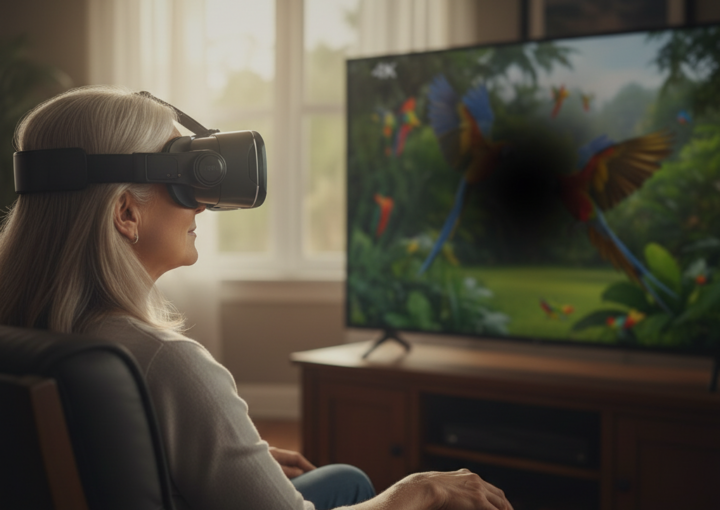
- Television or screen streaming. Sending video content directly to the wearer’s view, letting them watch television or use a computer screen more comfortably.
- Face and object recognition. Some devices can identify and highlight faces, objects, or text within view, which can be especially meaningful for recognizing loved ones.
Vision Buddy, for example, was built specifically to combine several of these capabilities into a single all day wearable, rather than asking someone to juggle separate tools for each individual task.
Who Actually Uses Them
The people who tend to use AI adaptive glasses are living with conditions that affect vision in ways a standard prescription cannot correct. This includes macular degeneration, glaucoma, diabetic retinopathy, and a range of similar low vision conditions. In the United States alone, an estimated 8 million people live with some form of vision impairment that cannot be corrected with standard glasses or contact lenses.
It is also worth mentioning that a huge share of the people first encountering this term are not the end users themselves, but rather family caregivers, often adult children, researching options on behalf of a parent or spouse. If that describes you, you are in good company, and the rest of this article (along with the rest of our blog) is written with exactly that reader in mind too.
Common Misunderstandings Worth Clearing Up
A few things tend to trip people up when they first hear about this category of device, so let us clear them up directly.
One common mix up is confusing AI adaptive glasses with virtual reality headsets. They can look somewhat similar from the outside, since both are worn over the eyes, but they work in completely different ways. A VR headset creates an entirely virtual environment that replaces what the wearer would normally see. AI adaptive glasses do the opposite. They enhance the wearer’s actual, real surroundings rather than replacing them with something artificial.
Another misunderstanding is assuming these devices are only for people who are completely blind. In reality, most people using this kind of technology have some functional vision remaining. The device is specifically built to make the most of that remaining vision, not to serve as a substitute for sight that is entirely gone.
Frequently Asked Questions
Is “AI adaptive glasses” the same thing as “smart glasses”?
The terms do get used interchangeably sometimes in casual conversation, but there is a real distinction worth knowing. “Smart glasses” is a much broader category that can include things like fitness tracking glasses or general purpose camera glasses that have nothing to do with vision assistance. AI adaptive glasses refers specifically to devices built to help with low vision.
Do these devices need an internet connection to actually work?
This depends on the specific device and feature in question, so it is worth confirming directly with whichever manufacturer you are considering, particularly if certain features rely on live processing or connectivity in ways that might not be obvious from the product description alone.
Are AI adaptive glasses typically covered by insurance?
Coverage varies quite a bit and should never simply be assumed. It is always worth asking any manufacturer directly about payment plans or financial assistance options, since this is not something most companies will bring up unprompted.
Roughly how much do these devices cost?
Devices in this category generally range somewhere between $2,995 and $3,995, depending on the specific features and manufacturer involved.
Where to Go From Here
If you would like to go a bit deeper, our full breakdown of AI glasses compared to traditional low vision aids walks through the tradeoffs between categories in more detail. Or, if you are not quite sure where to start, browse our free guides to find the resource that best matches your specific situation right now.